
FAQ6:How to download the firmware or boot program via JLink?
read0order date2024-10-31 14:59:54
The following is an example of downloading the firmware of MCR007/MCR30.
1. you need some tools in the early stage.
1)JLink as follow:
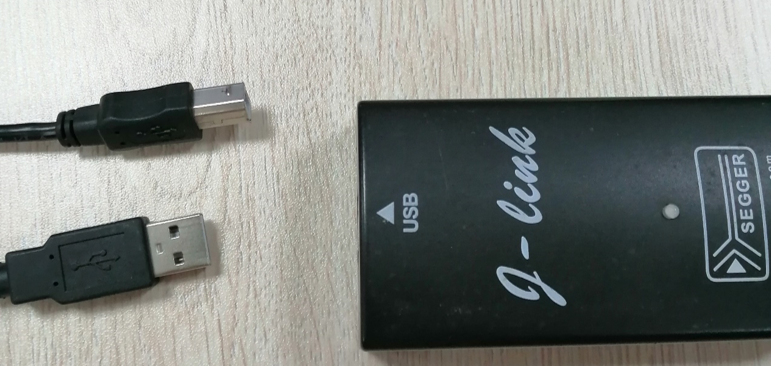

2)APP (JFlashARM)

2,Download steps
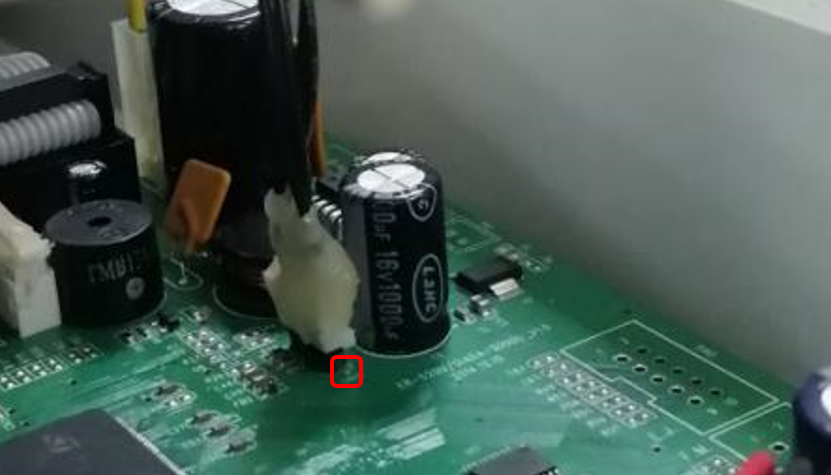
Step 1. The USB port of the JLink is connected to the PC,and the other is connected to the ECR motherboard,There is a small white dot beside one pin of the 4-pin header on the main board as follow picture,which means the pin is the 1 pin.

Step 2. Power on ECR
Turn on the main switch after connecting to the power supply,and then press and hold the power button(“C” key) until the display lights up.
Step 3. Open JFlashARM
Double click JFlashARM to open it.
Step 4.Select ARM(or cpu)
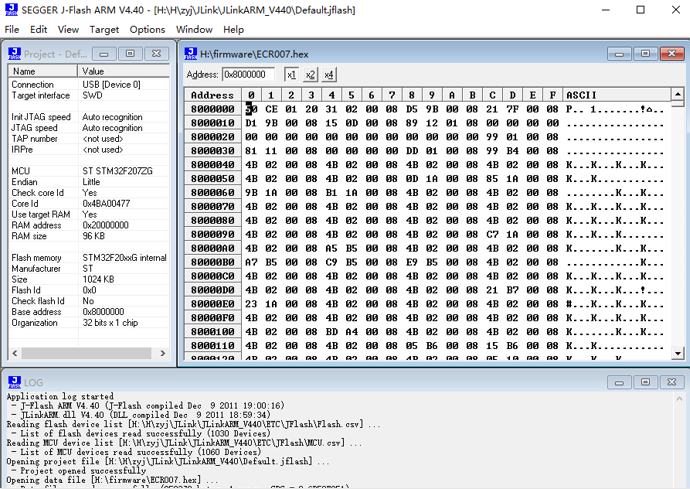
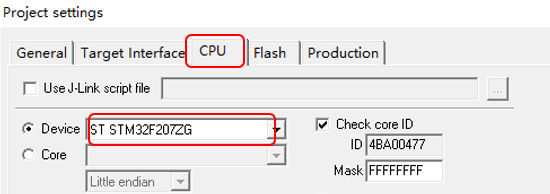
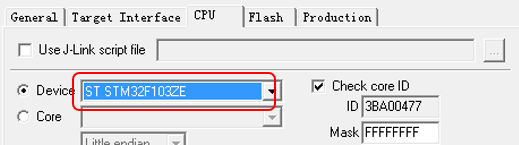
Click menu ’Options’,and then click the submenu’project settings’ to open project settings panel as follow picture.Select CPU option ,and select the ‘Device’item as’ST STM32F207ZG’(For WISE158D,you should select the ST STM32F103ZE)and click ‘OK’button.
ECR100F,ECR007,MCR30------ST STM32F207ZG
WISE158D,ER260L------ST STM32F103ZE
Step 5.Connect ECR
Click menu’Target’ and then click submenu’Connect’.After the connection is successful,the words’connect successfully’will display on the log page.
Step 6.Open firmware file
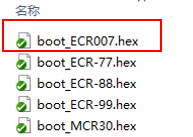
Click menu’File’ and then click submenu’Open data file…’.In the pop-up window,select the hex file to download and click ‘open’button to open it.
Step 7.Download firmware
Click menu’Target’ and then click submenu’Auto’ to automatically download the program.
previous postsFAQ5:How to read debugging information of ECR via serial port?
next chapterFAQ7:How to download the firmware program via serial port for ECR?