
FAQ5:How to read debugging information of ECR via serial port?
read0order date2024-10-31 14:54:48
Generally speaking,the debugging information is usually used by professional technicians to find out the causes when encountering some bugs.
1. Serial cable
Connect PC and ECR with serial cable at first.If the PC has not DB9 connector,you should prepare a USB to DB9(male) conversion cable.
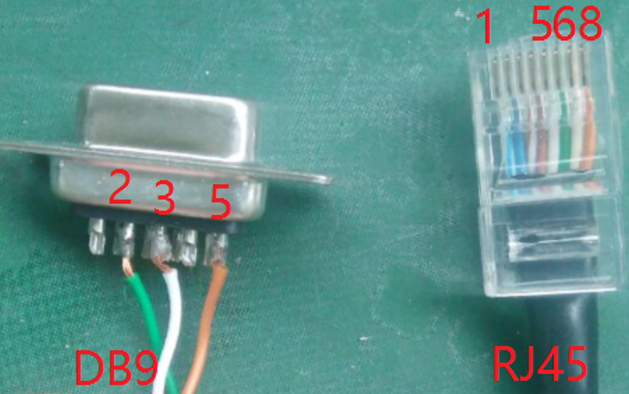
For the type of MCR30(H),ECR50(H),ER260(F),ER220(H) and ECR100(F),the serial cable should be DB9(female,connects to PC)-RJ45(connects to ECR).
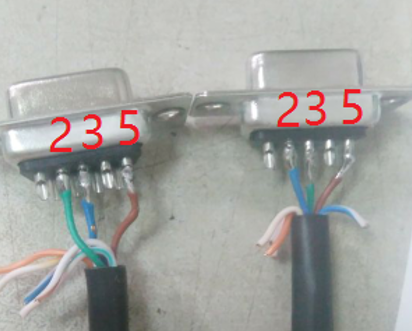
For the type of ER520(H),the serial cable should be DB9(female)-DB9(female)
2. Serial debugging or monitoring tool
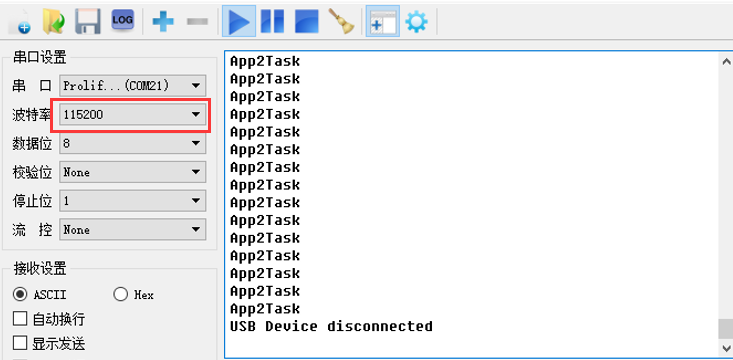
Please ensure there is a serial debugging tool such as CRT,PuTTY or Serial Port Utility is installed in your PC.
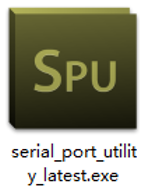

Please select the correct serial port and its baud rate should be 115200.
previous postsFAQ4:How to insert a SIM card in MCR30?
next chapterFAQ6:How to download the firmware or boot program via JLink?