
FAQ1:How to connect and use scanner?
read0order date2024-09-30 11:50:09
FAQ1:How to connect and use scanner?
Suit for wise158D,ER260
1.How to connect scanner?
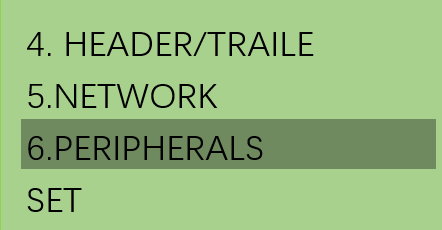
Step1.In SET mode,select 6.PERIPHERALS option and then press cash key to enter.
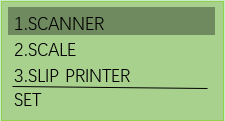
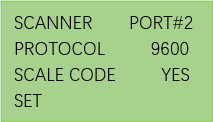
Step2.Select 1.SCANNER and then press cash(enter)key to enterthe setting of scanner.Settings are shown as following right picture.
Step3.Connecting scanner and ECR via serial port (RS232-2).
2.How to use scanner to sell PLU?
Step1.Preset PLU
1.)In SET mode,select 1.DEPT/PLU and then press cash(enter)key to enter.
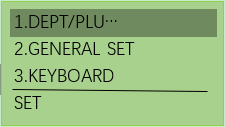
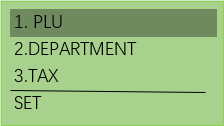
2.)Select 1.PLU and press cash(enter)key to enter PLU setting as following right picture.
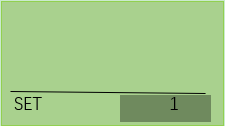
3.)Input index number of PLU(ex.5) and press the scan key of scanner,align the scanning port with the bar code of PLU.After the barcode is read successfully,the ECR displays as follow picture:
NOTICE:The index number of PLU you want to input should not included in the existing index number.For example,you have preset 10 PLUs,so when you want to add a new PLU you should input an index number greater than 10.
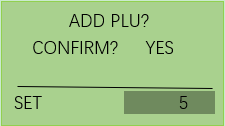
Press cash(enter)key to enter the PLU settings.
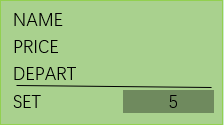
In this interface you can set the name,price,depart and so on.
If you want to preset more PLU,Repeat the above step1.) 2.) 3.) until all PLUs have been set.
1.Del PLU,select a item you want to del,press PAPER(DEL) key,and then press cash(enter)key to confirm.
2.Replace PLU,select a item you want to replace,scan a new PLU barcode by scanner directly without entering a new index number of PLU.Similarly,you need to set the name, price,depart and so on.
2.Sell PLU via scanner
In RG mode, press the scan key of scanner,align the scanning port with the bar code of PLU,if the operation is successful you will hear a “Di” sound.At the same time,the ECR screen will display infos of this PLU.According to this method you can sell other preset PLUs.In the end press CASH or select other payment to settle.
next chapterFAQ2:How to connect scale to ECR?